Hyperliquid Tutorial 2026: Login, 5 USDC Deposit, Code HYPEKR
How to start on Hyperliquid: log in with email or an EVM wallet, enable trading, enter referral code HYPEKR (4% off fees on the first $25M volume) and deposit at least 5 USDC.
Open the official Hyperliquid app
Hyperliquid has no account form: you log in with email or an EVM wallet at app.hyperliquid.xyz, enter HYPEKR on the Referrals page, and deposit at least 5 USDC. The docs describe a 4% fee discount on your first $25M of volume.
Disclosure: links on this page carry our referral code HYPEKR; we may earn a commission at no extra cost to you. The steps below follow the exchange’s own help pages, not our commercial interest.
Signup facts at a glance
| Item | What the official page says |
|---|---|
| How you log in | Email with a 6-digit code, or an EVM wallet such as Rabby, MetaMask or Coinbase Wallet. — Source (2026-10-28) |
| Enable Trading | Wallet users click “Enable Trading” and sign a gas-less transaction. — Source (2026-10-28) |
| Where the referral code goes | Enter it on app.hyperliquid.xyz/referrals or arrive through a referral link. The docs do not say whether it can be changed. — Source (2026-10-28) |
| Referral discount | 4% off fees on your first $25M of volume. — Source (2026-10-28) |
| Deposits | USDC on Arbitrum, Ethereum, Base or Polygon arrives as USDC on HyperCore; BTC, ETH, SOL and other listed assets are also accepted. — Source (2026-10-28) |
| Minimum deposit | Wallet accounts: deposits below 5 USDC are lost. Email accounts: below 5 USDC is returned to the email wallet; below 1 USDC is lost. — Source (2026-10-28) |
| Gas | Gas is only for depositing; trading is gas-free. Withdrawals can carry small fees. — Source (2026-10-28) |
Steps checked against the official help pages on
Illustrated signup steps
1. Open app.hyperliquid.xyz and check the address
Use our link or type app.hyperliquid.xyz yourself; fake front-ends are common. If the site shows a regional restriction notice, do not try to work around it.
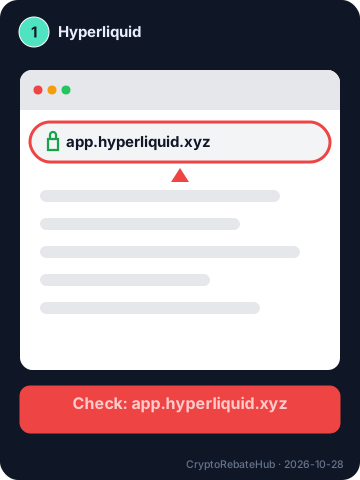
Illustration drawn by CryptoRebateHub, not an official screenshot; the live screen may differ. 2. Connect with email or an EVM wallet
Log in with email and the 6-digit code, or connect an EVM wallet such as Rabby, MetaMask or Coinbase Wallet. Never type a seed phrase into any website.
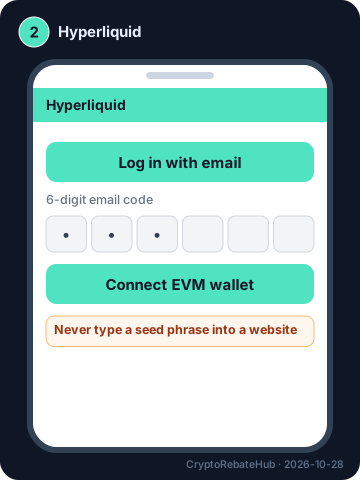
Illustration drawn by CryptoRebateHub, not an official screenshot; the live screen may differ. 3. Enable Trading (wallet users)
Click “Enable Trading” and approve the gas-less signature in your wallet. Read the prompt: it should not ask for token approvals or a seed phrase.
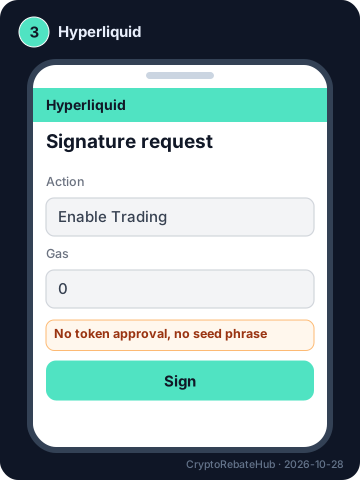
Illustration drawn by CryptoRebateHub, not an official screenshot; the live screen may differ. 4. Enter the referral code
Open app.hyperliquid.xyz/referrals and enter HYPEKR, or arrive through our link. The docs describe a 4% fee discount on your first $25M of volume; check the Referrals page shows the code before trading.
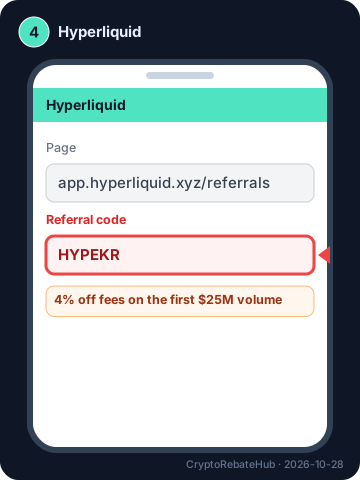
Illustration drawn by CryptoRebateHub, not an official screenshot; the live screen may differ. 5. Deposit at least 5 USDC
Wallet users deposit USDC on Arbitrum and need a little Arbitrum ETH for gas; email accounts can also send USDC from Ethereum, Base or Polygon, and other assets are supported. Wallet deposits below 5 USDC are lost; for email accounts they are returned to the email wallet, and below 1 USDC are lost.
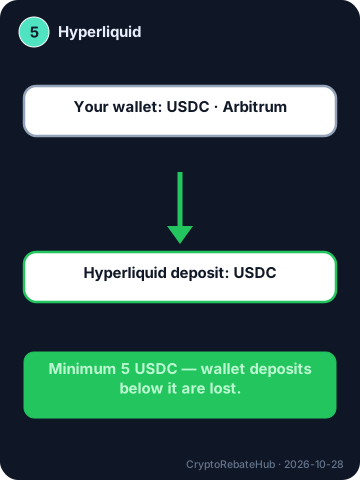
Illustration drawn by CryptoRebateHub, not an official screenshot; the live screen may differ. 6. Place a small first order
Trading is gas-free. Start with a small size and low leverage, and read the liquidation price before you confirm.
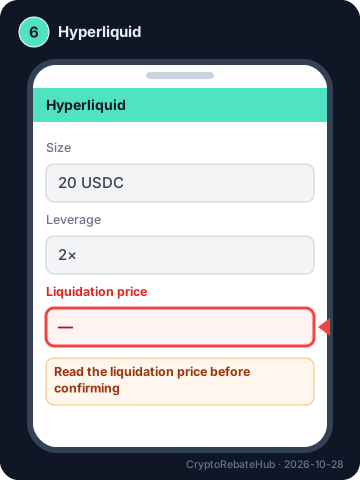
Illustration drawn by CryptoRebateHub, not an official screenshot; the live screen may differ. 7. Protect the wallet
Use a hardware wallet for larger balances, revoke approvals you no longer need, and reach the app only from your bookmark.
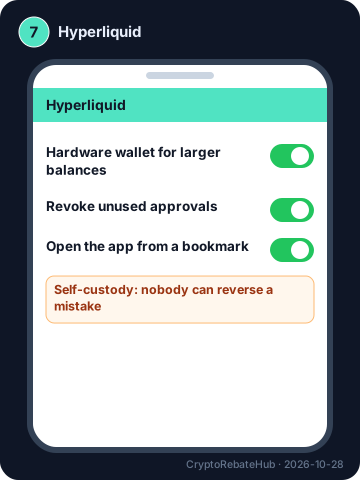
Illustration drawn by CryptoRebateHub, not an official screenshot; the live screen may differ.
Forgot the code? What each exchange allows after signup
| Exchange | Adding a code after signup | Source |
|---|---|---|
| Binance | Within 30 days, before any deposit or trade, if no referral exists (official bind page); later, never-referred accounts can be recalled by an affiliate after 90+ inactive days, or rebound via an affiliate Rebind application (under 5,000 USD volume in 90 days, then 150,000 USD within 30 days). | 2026-09-29 |
| OKX | Not as a user: the code must be applied before signup. Accounts with no deposit, trade or login for 180+ days can be rebound through an OKX affiliate’s Reconnect link. | 2026-09-17 |
| Bybit | Affiliate codes only, within 14 days (Account Info → Join an Affiliate’s Community); user referral codes no. | 2026-06-05 |
| Bitget | No official method published; enter it on the first form. | 2024-04-16 |
| Gate | No method described; check the field before submitting. | 2026-01-26 |
| Hyperliquid (this guide) | The docs say codes are entered on the Referrals page; they do not state a deadline or whether a code can be changed. | 2026-10-28 |
Existing account? Rules for adding, rebinding or recalling a referral code →
Troubleshooting: symptom, likely cause, fix
| Symptom | Likely cause | What to do |
|---|---|---|
| The verification code never arrives | Spam filter, wrong country prefix, resend clicked too early, or the code expired (Binance 30 min, OKX 10 min). | Check spam and promotions, wait for the resend timer, re-enter the phone number without the leading 0, or switch to email. |
| “Service not available in your region” or a regional site opens | The exchange does not serve your country of residence, or routes it to a local entity. | Use the entity offered for your country or another exchange. Do not misstate your residence: identity verification must match your documents, and a mismatch can freeze the account. |
| The referral field is empty after opening our link | The app was opened directly, cookies were blocked, or the link was copied without its parameters. | Type HYPEKR into the referral field yourself before submitting. On a phone, copy the code first, then install or open the app. |
| Identity verification is rejected | Blurred or cropped photo, glare, expired document, name or birth date typed differently, or a document already used on another account. | Retake the photos in even light with all four corners visible, type details exactly as printed, and use a valid document that is not linked to another account. |
| A crypto deposit has not arrived | Wrong network, missing memo/tag, or not enough confirmations yet. | Look up the transaction ID on a block explorer, compare the network and address, then contact official support with the TXID. Never share it with “support” that contacts you first. |
| You want to change or add a referral code | Referral relationships are permanent once set, and late binding has strict conditions. | See the table above: Binance allows binding within 30 days if you have not deposited or traded; Bybit accepts Affiliate codes within 14 days; OKX does not allow adding one afterwards. Long-inactive accounts can sometimes be recalled by an affiliate (OKX 180 days, Binance 90 days for never-referred accounts) — see our existing-account guide. |
| Someone offers help in a DM or sends a “new” login link | Impersonation scams copy exchange branding. | Type the domain yourself, check the anti-phishing code in emails, and never share passwords, 2FA codes or seed phrases. |
Before you start: where you live matters
Each exchange lists countries it does not serve in its terms, and some route residents to a local entity (for example Binance.US for the United States). Pick your real country of residence: identity documents must match it, and accounts opened with a false residence can be frozen. Our exchange reviews list the main restricted regions.
Update log
- — Re-checked every signup step against the official help pages listed below, added original illustrations, the “add a code later” rules and the troubleshooting table.
- — Fees, licences and restricted regions re-checked for the exchange fact sheet used in our reviews and comparisons.
Official help pages used for this guide
- Hyperliquid Docs — How to start trading (page updated 2026-10-28)
- Hyperliquid Docs — Referrals (page updated 2026-10-28)
- Hyperliquid Docs — Deposited via Arbitrum network USDC (minimums) (page updated 2026-10-28)
Hyperliquid full guide: deposit, trade, withdraw
After signup: tools to use before and after each trade
Bookmark this page. These free tools need no account and are meant to be reopened before and after each trade to check cost, risk and rebates.
- Fee comparison — Compare six venues at your monthly volume
- Rebate calculator — Check credited rebates against your volume
- Position size — Size trades from stop distance and risk
- Liquidation calculator — Know liquidation distance before futures
- Funding rates — See funding cost before holding positions
- Fear & Greed — Daily market sentiment
- Long/short ratio — Derivatives crowding
- BTC Cycle Thermometer — Nine-indicator cycle position
- Extreme-move alerts — Email or Telegram only on major changes
Open app.hyperliquid.xyz and check regional access. Connect with email verification or an EVM wallet, inspect signatures and never share a seed phrase. Confirm HYPEKR on the official Referrals page: docs describe a 4% fee discount on the first $25M of volume, excluding vaults and sub-accounts. Check the current supported assets and networks before a small test deposit.
