On OKX you register with an email and a phone number, verify your identity (review takes up to 24 hours), deposit crypto under Assets > Deposit, move it from the funding account to the trading account, place orders under Trade > Spot, and withdraw under Assets > Withdraw. Identity verification is required for both deposits and withdrawals, and a wrong network or a missing tag can lose the funds.
OKX at a glance
| Sign-up | Email, email code, mobile number, SMS code, then password |
|---|---|
| Verification | Required to deposit and to withdraw; review within 24 hours |
| Accounts | Funding account for deposits and withdrawals; trading account for orders |
| Buying with local currency | C2C (peer-to-peer) Express buy |
| Withdrawal methods | On-chain, or internal transfer to another OKX user with zero fees |
| Referral code used on this site | WLFI47 |
Referral code on this site: WLFI47. Enter it on the sign-up form; OKX shows there whether a benefit applies.
Before you start
OKX operates through different entities by region, and the products you can use depend on where you live. The help pages used here are served on okx.com with the same content for the global and the US versions; your own screens may still differ.
Use only okx.com and the official app. Type the address or use a bookmark, and ignore links in ads, private messages and unexpected emails.
Step 1 — Create the account
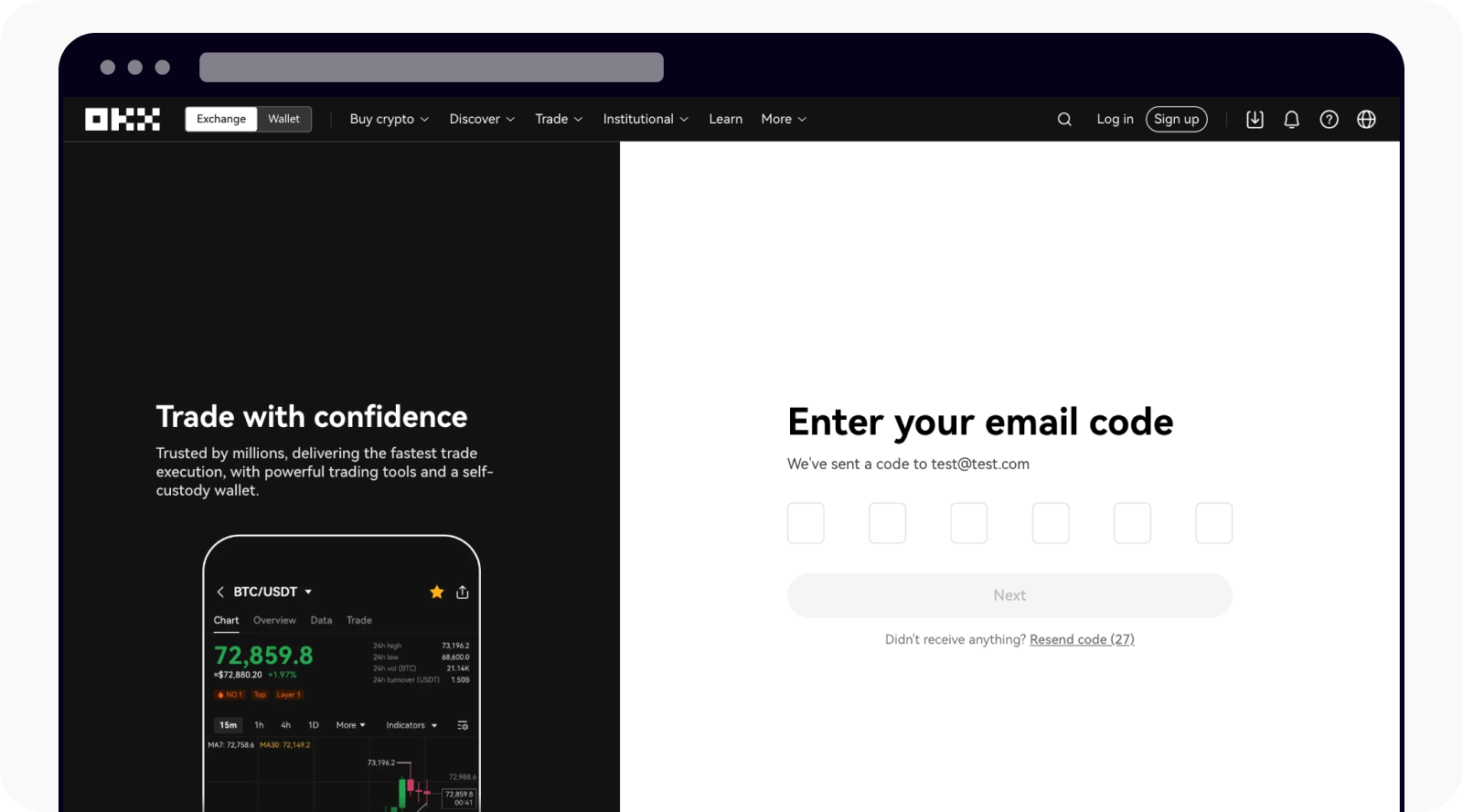
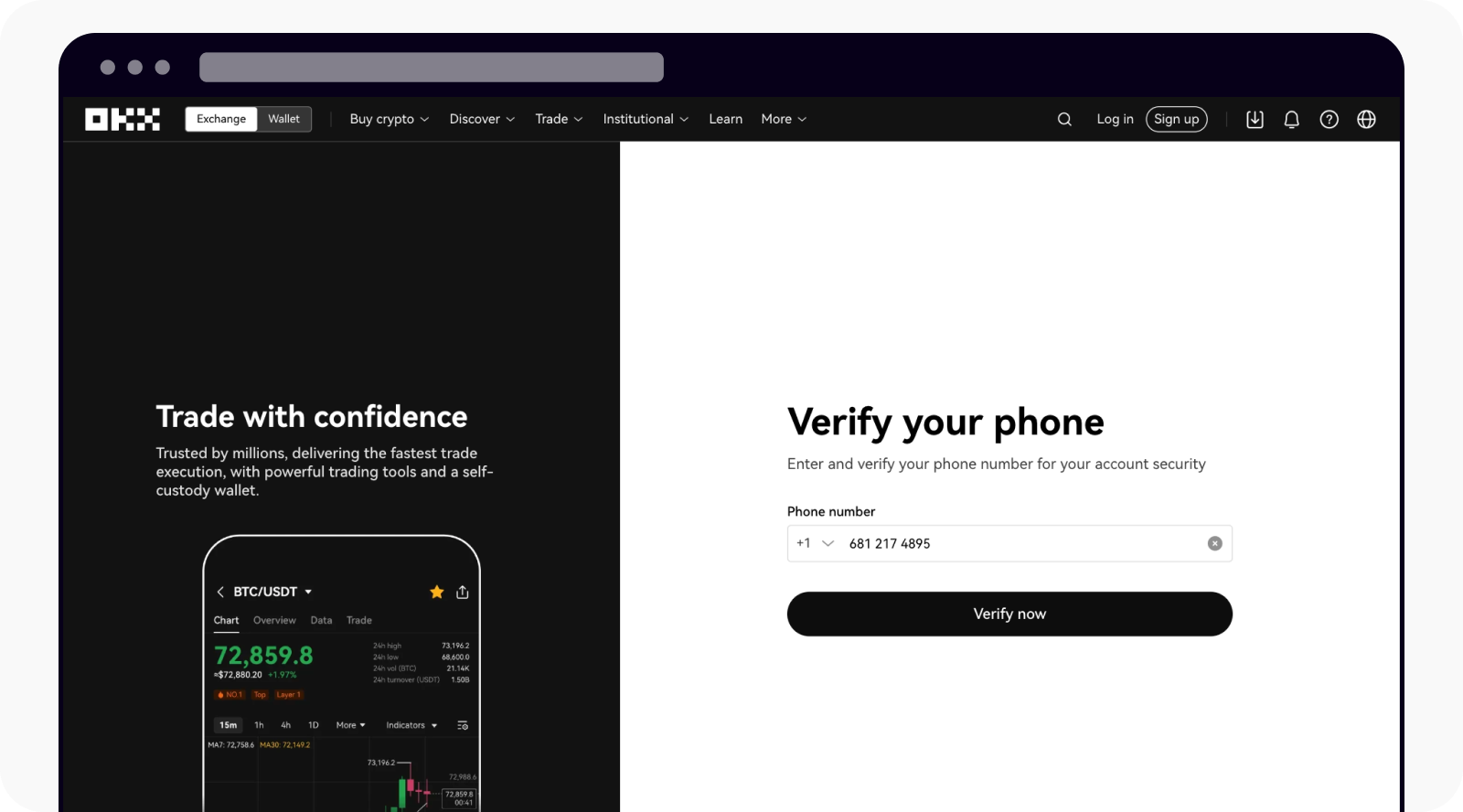
OKX asks for both an email address and a mobile number during registration.
- Open the sign-up page on okx.com and enter your email.
- Enter the code sent to that email.
- Enter your mobile number and the SMS code.
- Set a password. If you want to use a referral code, enter it on the form (this site uses WLFI47).
- Turn on an authenticator app before you deposit.
Step 2 — Verify your identity
OKX states that only accounts that have completed identity verification can deposit, and that verification is also required to withdraw.
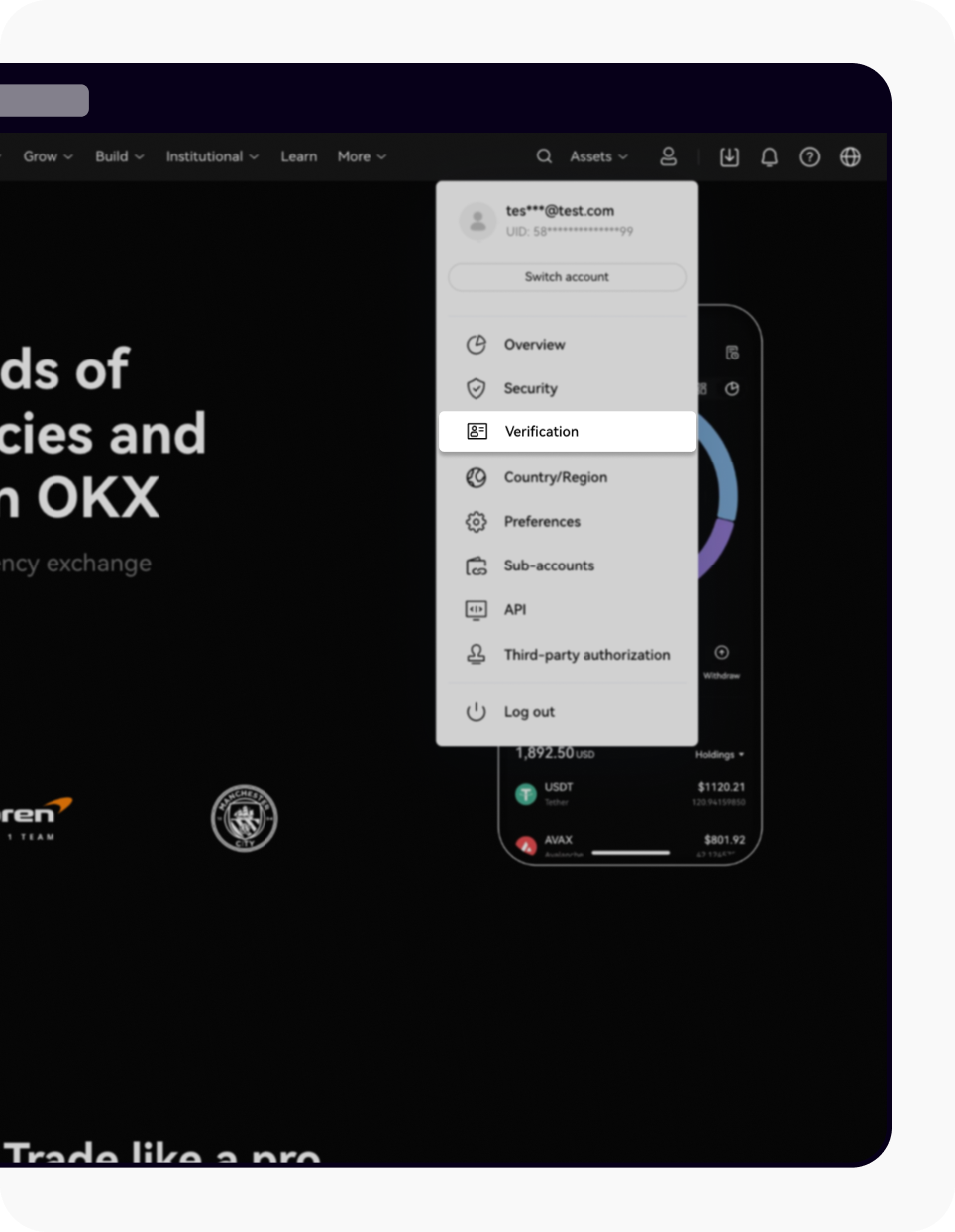
- On the web, open the profile icon and select "Verification". In the app, go to "Menu" > "Account settings" > "Identity verification".
- Find "Individual account" and select "Continue".
- Enter country of residence, nationality, full name, date of birth, ID type and number, and residential address.
- Photograph a government-issued ID that shows your full name, date of birth, and issue and expiry dates. Screenshots are not accepted, and all corners must be visible.
- Take the selfie with your whole face inside the oval frame, without mask, glasses or hat.
- If asked for proof of address, it must show your current address and be issued within the last 3 months (6 months for EEA users).
- Review takes up to 24 hours and OKX notifies you when it finishes.
- An account can be frozen if verification is not finished within the grace period; OKX says funds can still be accessed and withdrawn.
- OKX asks users to verify again periodically.
- The beginner guide says identity and video verification are done in the app, so have the app installed.
Step 3 — Deposit crypto
A deposit is a withdrawal from another platform or wallet to your OKX address. The coin and the network must match exactly on both sides.
- Log in, go to "Assets" and select "Deposit".
- Choose the coin under "Select crypto" and the network under "Deposit network".
- Under "Deposit account", choose "Funding" or "Trading".
- Copy the deposit address, or scan the QR code from the sending app. If a tag or memo is shown (for example for XRP), enter it with the address.
- Check the status on the deposit page; it shows as successful after the required block confirmations.
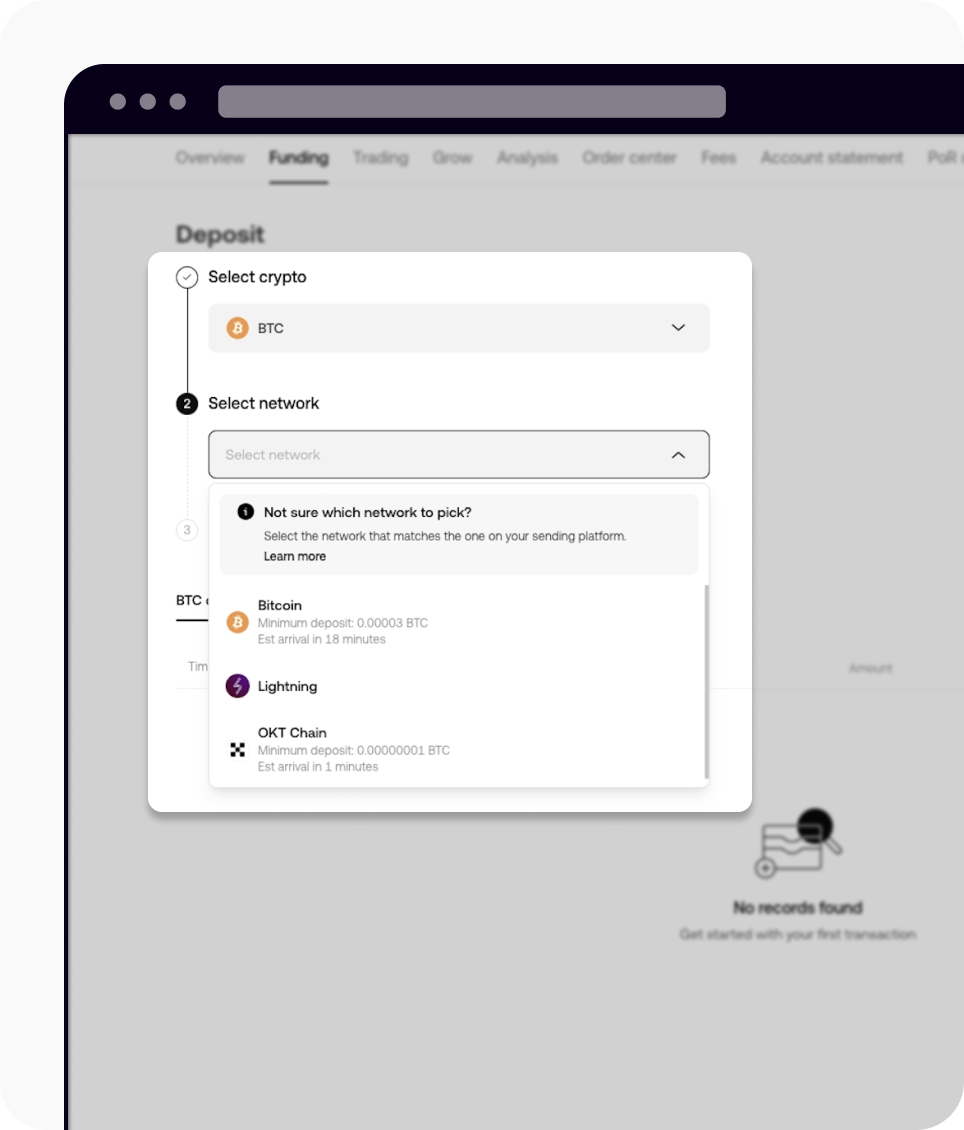
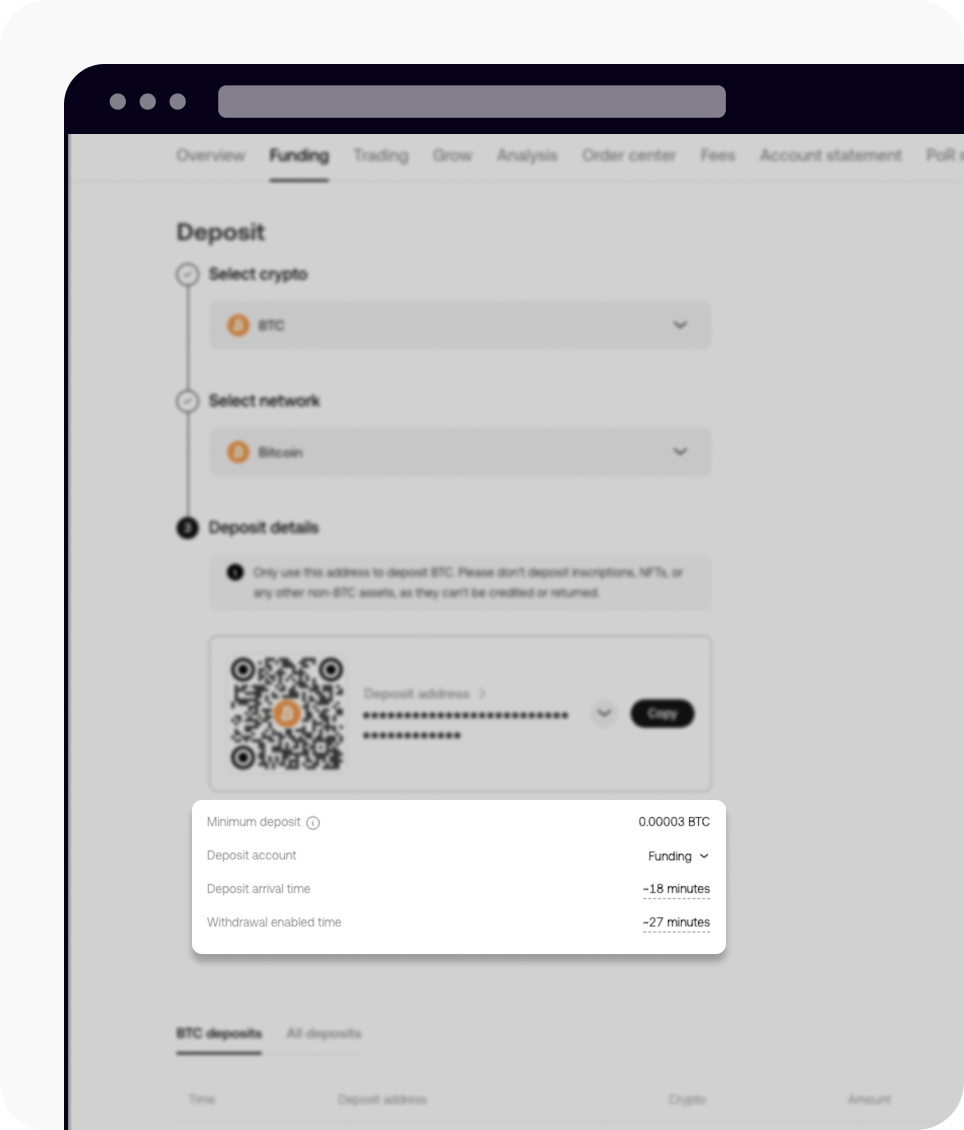
- The minimum amount, the number of confirmations and the contract address are shown on the deposit page. Amounts below the minimum are not credited.
- Depositing an unsupported token, or using a network that does not match, may lose the assets.
- Another platform may ask for the verified name on your OKX account; it is under "Profile" > "Verification".
Step 4 — Or buy with local currency (C2C)
OKX's beginner guide describes buying through C2C, where you pay another user directly and OKX releases the crypto to you.
- Go to "Buy crypto" > "C2C trading" > "Express" > "Buy".
- Enter the amount, pick a payment method and an offer, and select "Place order".
- Pay the seller using the details shown, then tap "I Have Paid".
- Pay only from an account in your own verified name, and use the payment details shown in the order.
- When you sell, confirm in your banking app that the money has arrived before you release crypto.
- Open a dispute in the order if something goes wrong; do not settle outside the platform.
Step 5 — Transfer and place a spot order
Deposits land in the funding account unless you chose the trading account. Orders use the trading account, so transfer first.
- Go to "Assets" > "Transfer", select the coin, set "From: Funding" and "To: Trading", enter the amount and select "Transfer".
- Go to "Trade" > "Spot" and choose the pair.
- Choose the order type. A limit order waits for your price and may not fill quickly; a market order fills at the current price.
- Enter the price and amount, then select the buy or sell button.
- Fee rates: OKX has a Regular tier and VIP tiers set by 30-day trading volume and asset amount. Your own rate is under "Assets" > "My trading fees". This page quotes no percentages because the fee table could not be read.
- A maker fee applies to orders that rest on the order book and a taker fee to orders that fill immediately.
- Tier snapshots are taken daily at 0:00 (UTC+8) and applied between 4:00 and 6:00.
Step 6 — Withdraw
OKX offers two methods: an on-chain withdrawal to any address, or an internal transfer to another OKX user.
- Go to "Assets" and select "Withdraw".
- Select the coin and the method: "On-chain withdrawal" or "Internal transfer".
- On-chain: enter the address, choose the withdrawal network, enter the amount and review the network fee, then select "Next".
- Internal: enter the recipient's phone number, email, sub-account or UID and the amount, then select "Next".
- Complete 2FA and select "Confirm".
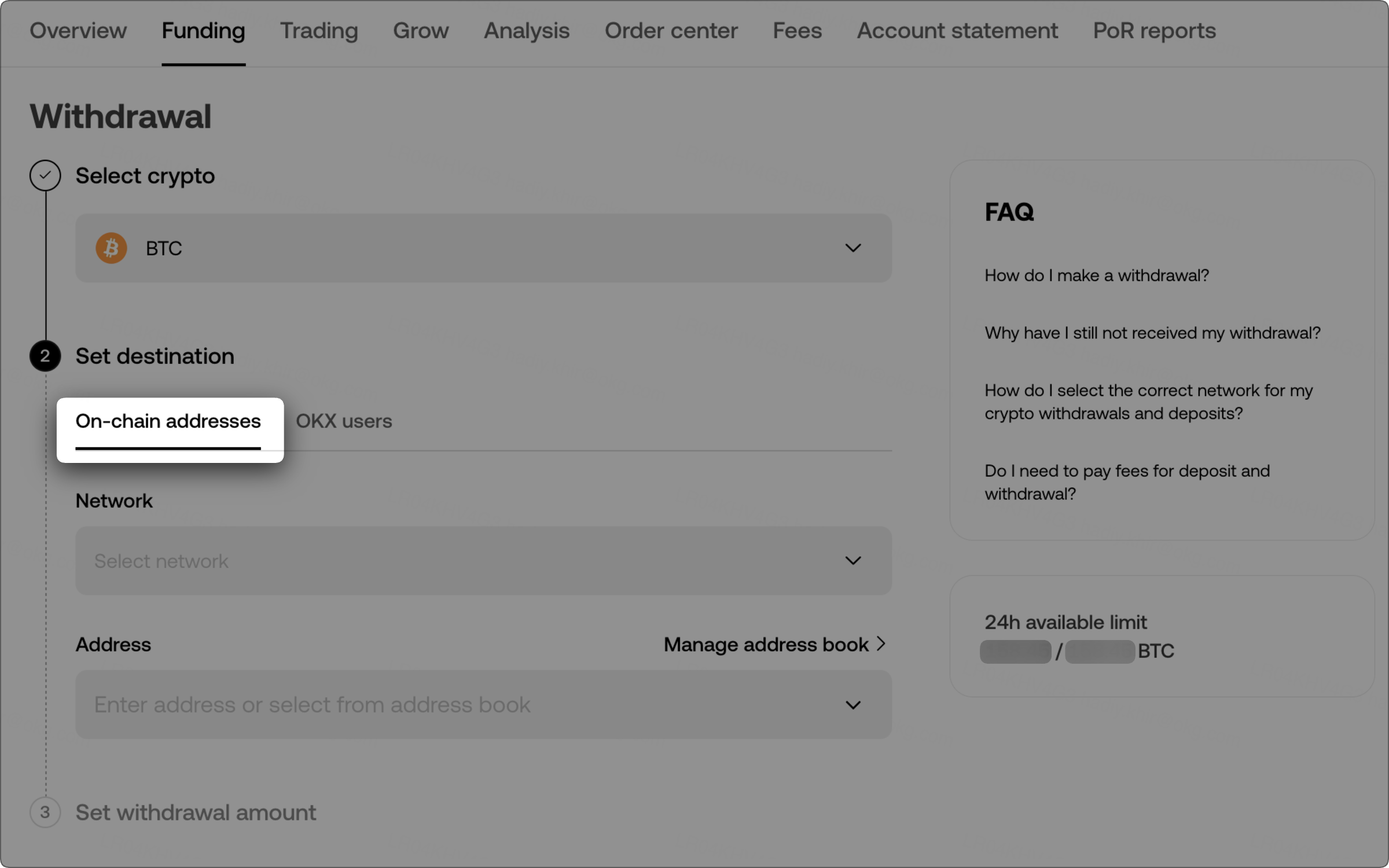
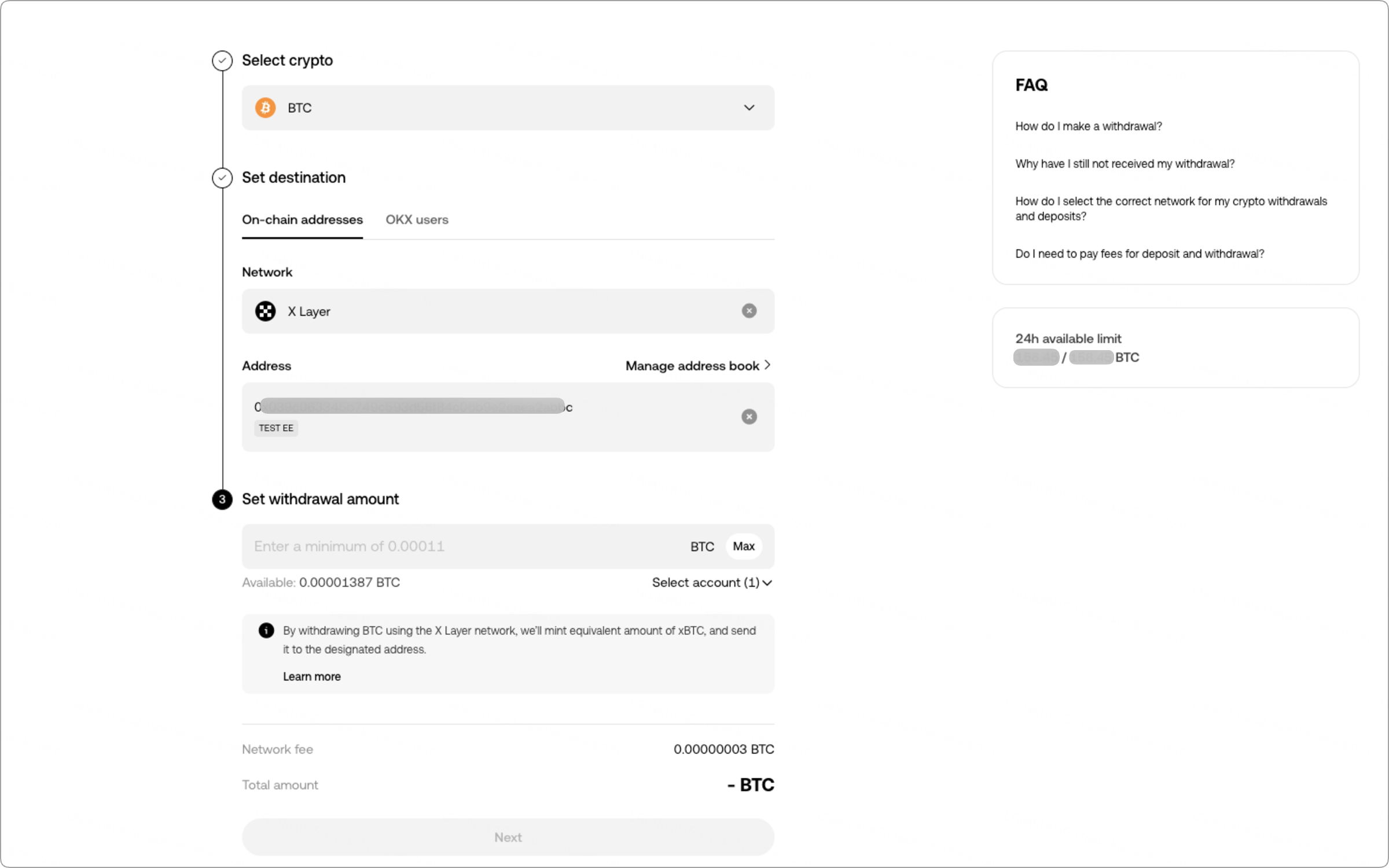
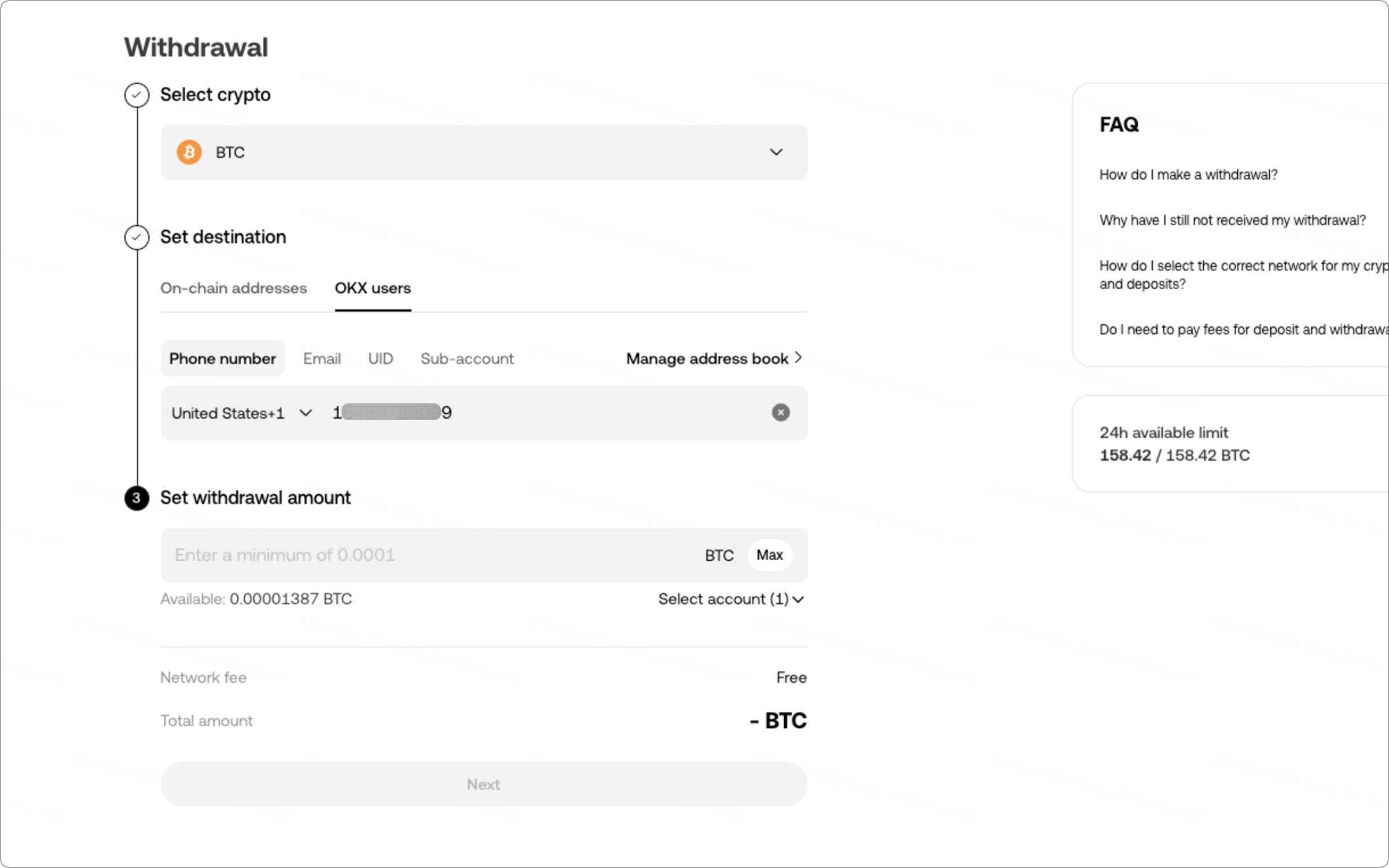
- Status moves through "Requested", "Pending", "Withdrawing" and "Completed". "Completed" means the assets have left OKX; confirm arrival with the receiving platform.
- If several networks are offered for an address, choose the one that matches the deposit network on the other platform.
- Coins such as XRP need a tag as well as an address, or the withdrawal is lost.
- Internal transfers have zero fees, the recipient must be a verified user, and you can cancel within 1 minute.
- Allowlist mode limits withdrawals to addresses you have saved.
- The amount must exceed the minimum, and the network fee depends on the network; both are shown on the withdrawal screen.
Keeping the account safe
OKX holds the assets in an exchange account, so the main risks are someone else logging in and withdrawals going to the wrong place.
- Use an authenticator app for 2FA rather than SMS alone.
- Turn on allowlist mode and save the addresses you use.
- Never share verification codes, and never pay or release crypto outside a C2C order.
- Send a small test amount to each new address first.
- Reach the site by bookmark; a message asking you to "verify" or move funds is a scam.
- Keep only trading funds on the exchange and move long-term holdings to a wallet you control.
Common questions
Do I need identity verification to deposit on OKX?
Yes. OKX states that only verified accounts can deposit, and verification is also required to withdraw.
What is the difference between the funding and trading accounts?
Deposits and withdrawals use the funding account; orders use the trading account. Move funds between them under Assets > Transfer.
What is the minimum deposit on OKX?
It differs by coin and network and is shown on the deposit page. Amounts below the minimum are not credited.
How much are OKX trading fees?
They depend on your tier, which OKX sets from 30-day volume and asset amount. Check Assets > My trading fees for your own rate; this page does not quote percentages.
Can I cancel an OKX withdrawal?
An internal transfer can be cancelled within 1 minute. For on-chain withdrawals, follow the status on the withdrawal page.
Sources
- OKX Help — How to register an account on OKX
- OKX Help — How do I verify an individual account? (updated 2026-08-25)
- OKX Help — How do I make a deposit? (web) (updated 2026-08-26)
- OKX Help — How do I make a withdrawal? (web) (updated 2026-08-05)
- OKX Help — Where should beginners start? (web version) (updated 2026-08-11)
- OKX Help — Trading fee rules FAQ
- OKX — Trading fee schedule
Steps and rules were read from the OKX help pages above on 2026-11-13. The fee table and the spot-trading walkthrough could not be read, so this page gives no fee percentages and has no trading screenshots. Where this page and OKX differ, OKX is right. This is not investment advice.
